Offset

Today

Know what you can still eat today.

Offset turns your movement, your meals, and your weight trend into one daily number that adjusts as your day goes.

Coming soon to the App Store

For iPhone. Offset requires an Offset+ subscription, monthly or yearly.

957

kcal left today

Room for your usual dinner, with about 310 to spare.

0 left −380 −520 −160 Walk +120 6 AM NOON 6 PM 12 AM
An example day, drawn from Offset’s Today screen.

As you move

Your budget moves with your day.

Offset reads your activity from Apple Health as it happens. A long walk raises your budget while you walk. A quiet day keeps it honest.

Wearables tend to read high, so Offset counts activity carefully and corrects the difference for you over time.

Home Screen and Lock Screen widgets show your number at a glance. The Lock Screen never shows meals or weight.
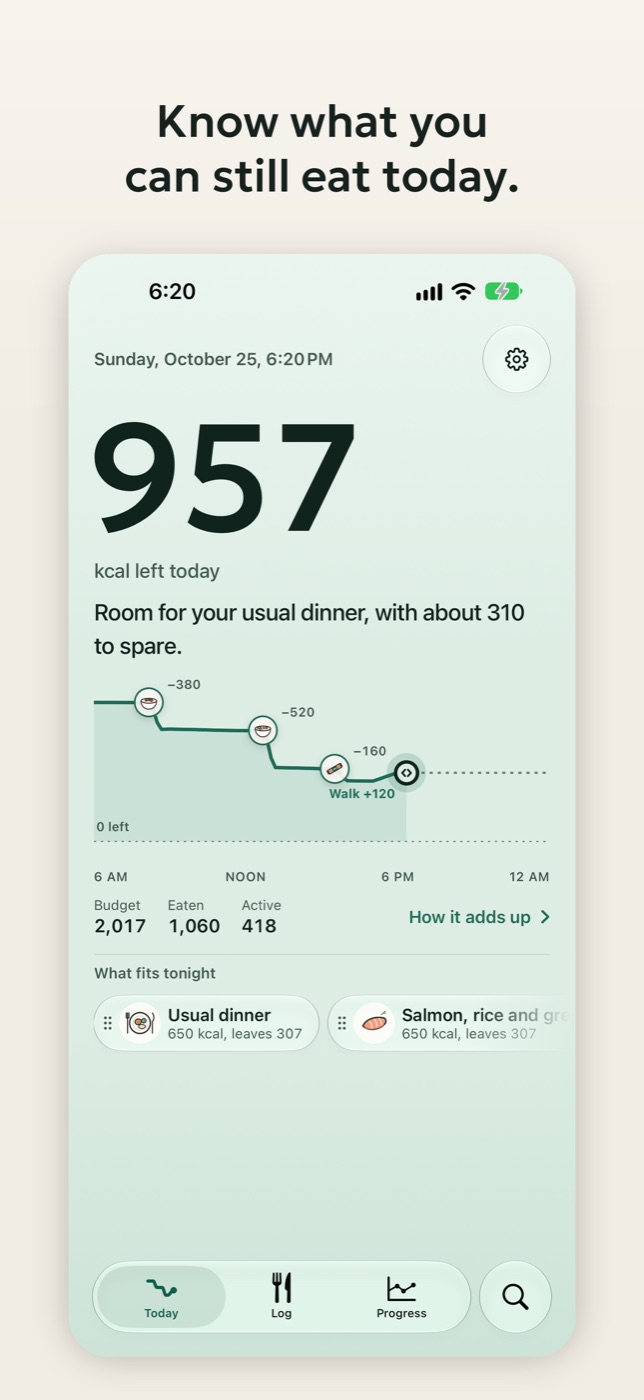
Today screen at 6:20 PM showing 957 kcal left, room for the usual dinner with about 310 to spare, and the day's meals and a walk on a line from 6 AM to midnight.

Before dinner

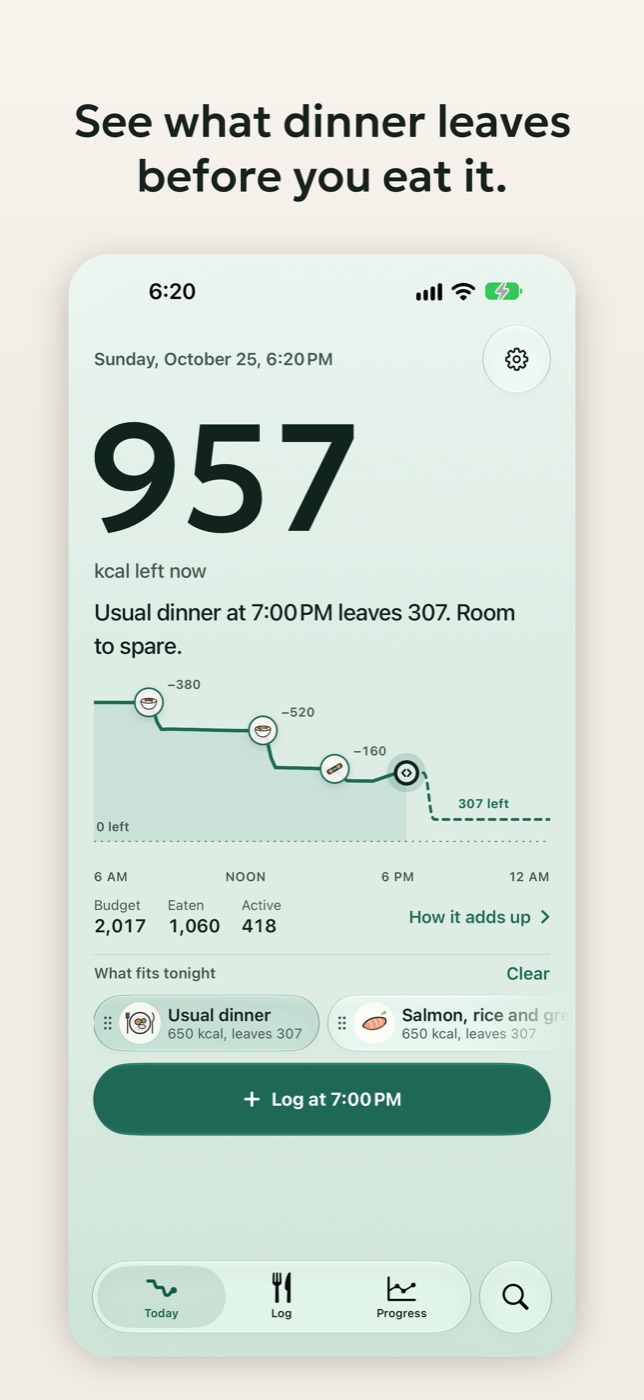
See what dinner leaves before you eat it.

Place a meal on the day’s line and Today shows what it leaves for the rest of the evening. What fits tonight shows what your usual meals would leave.

Know before dinner, not after.

Today screen with the usual dinner placed at 7:00 PM, showing what it would leave for the rest of the day before it is eaten.

In plain view

Every number adds up.

How it adds up, on Today, shows where your budget comes from.

Missing food is never counted as zero, and a minimum budget you choose is never crossed. Weekly flex can spread a big dinner over the rest of your week, if you want it to.

  1. Your resting energy
  2. The activity Apple Health has recorded so far
  3. The activity you usually do by the end of the day
  4. The energy used digesting food
  5. The deficit for your chosen pace
  6. What Offset has learned, and any adjustment you’ve made
  7. Today’s budget

Log

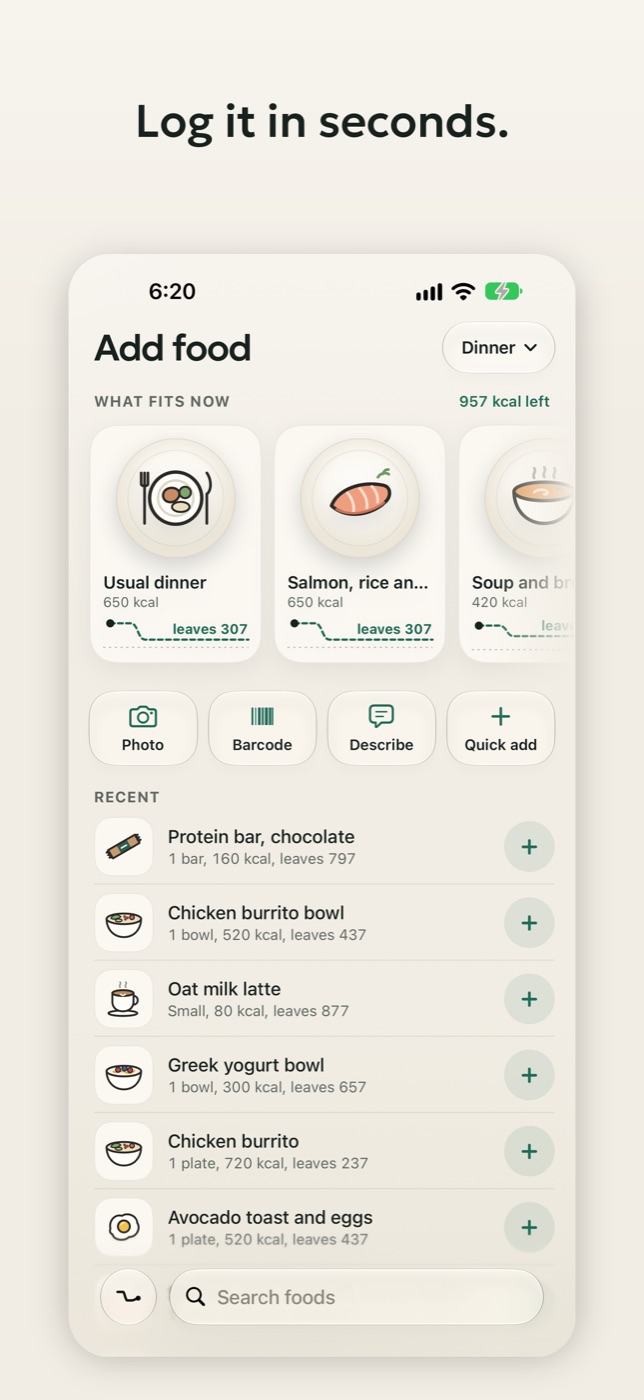
Log it in seconds.

Take a photo of your plate, describe a meal in a sentence, scan a barcode, or search more than 12,000 foods that work offline.

  • Photo
  • Describe
  • Barcode
  • Search
  • Quick add

Photo and description estimates are drafts you check before they count, because portions matter.

Photo estimates need iOS 27 and an iPhone with Apple Intelligence. Describe a meal needs an iPhone with Apple Intelligence.

Add food screen showing what fits now, the ways to log (Photo, Describe, Barcode and Quick add), and recent foods.

Progress

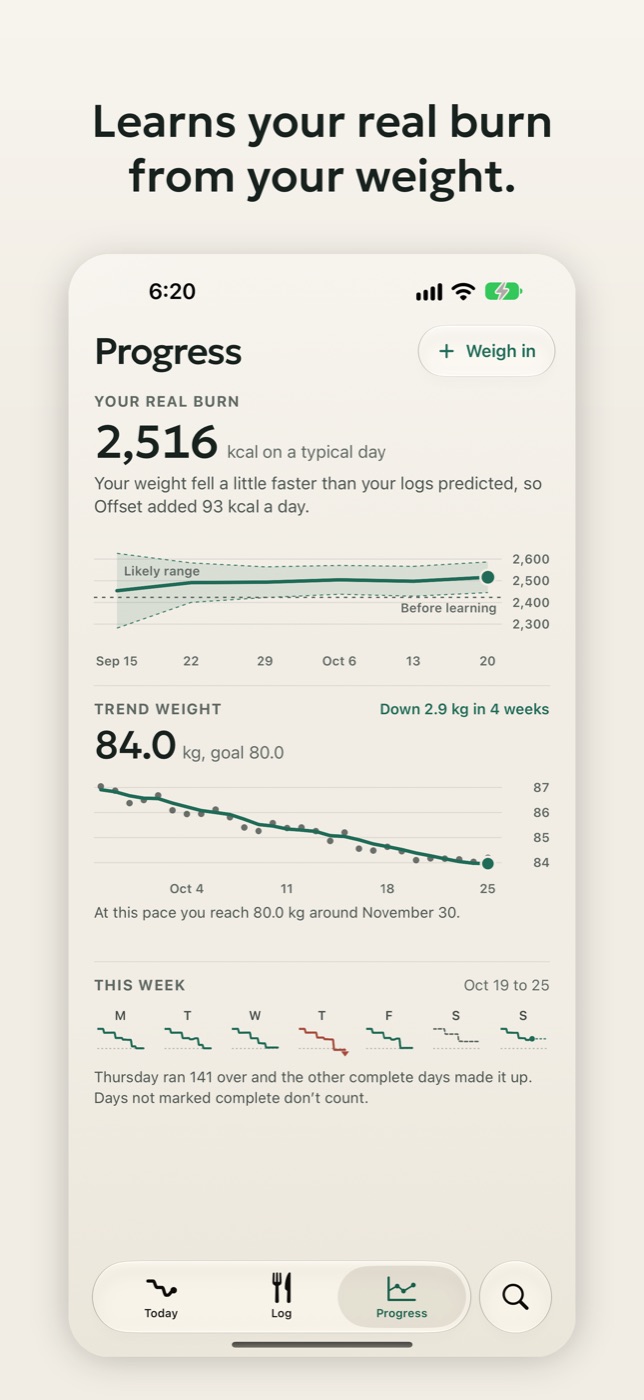
Learns your real burn from your weight.

After about two weeks of complete logs and weigh-ins, Offset compares what you ate with how your weight trend actually moved. If your body burns more or less than expected, it adjusts your budget in small weekly steps and tells you why.

Only days you mark complete are used for learning, so an unlogged snack never makes Offset think you ate less than you did.

Progress screen showing the burn Offset has learned and the weight trend.

Private by design

Your log stays on your iPhone.

No account, no ads, no tracking. Offset reads activity, energy, nutrition, and weight from Apple Health with your permission, and can save your meals and weigh-ins back to Health. Health data is never used for advertising and never shared. Read the privacy policy.

Offset is for adults. It gives estimates for general wellness and is not medical advice. Talk to a doctor before starting a weight-loss plan. It is not intended during pregnancy or breastfeeding, or for anyone in treatment or recovery for an eating disorder. If you’re struggling with eating, these people can help.